
From Estimates to Exact: How True Up Billing Actually Works
Tired of surprise invoices? Not anymore!! Learn everything about true up statements and avoid the friction. You estimate usage, bill accordingly, and then “true up” comes at the end of the cycle. True-up billing often feels complicated, especially when estimates don’t match final charges. Many businesses struggle to understand why costs shift at the end of a billing cycle. In this guide, we break down how true-up works, why it happens, and how solutions like EcoFlow Ocean Pro help simplify the process with better clarity and control.
What does true up mean in a solar billing cycle?
Wondering what is a true up? Often known as annual reconciliation, annual settlement, net metering adjustment, a true-up is the annual reconciliation between the electricity you produced and the electricity you used. Utilities estimate usage monthly, but the true-up adjusts the balance to reflect actual net consumption. True-ups exist because solar output and household usage fluctuate seasonally. A true-up statement typically includes total kWh generated, total kWh consumed, net surplus or deficit, credits earned, and any remaining balance due.
Understanding the true-up process in billing
Now that you have understood the trued up meaning, it's time to understand the complete process clearly to avoid any fuss later on. Since true-up billing follows a predictable cycle, here's how it exactly works in real time.
Set the baseline
First of all, you'll establish the baseline, which is the usage estimate. This could be a contracted amount, projected usage, or estimated cost agreed upon by both parties. The baseline becomes your starting point for both invoicing and performance tracking.
Track the real usage
Once you have established a baseline, it's time to track the real usage. Throughout the billing cycle, you should monitor real-world consumption. There are multiple factors that can be used for tracking, including logins, gigabytes used, call minutes, active licenses, or resource consumption.
Compare real usage vs. contracted usage
Furthermore, at the end of the period, actual usage is compared against the original estimate or contracted amount to identify any overages or shortfalls. This lets you know about any discrepancies or differences between the baseline and real usage.
Check discrepancies
Now, if the real bill exceeds the contracted usage, there's a billable gap, and hence, you must check for discrepancies. Find any misalignment between estimated and actual consumption to avoid any friction later on.
Reconcile differences
It's time to reconcile the differences between estimated and real usage. If actual usage exceeds the estimate, an additional charge may apply. If usage is lower, credits or refunds may be issued. This step ensures fair and accurate billing.
Reset the baseline
Once you have reconciled the difference with the customer, reset the baseline for the next billing cycle based on the updated data. True up billing mainly helps you understand the exact usage of the customer, thus reducing discrepancies later on.
How does Ocean Pro use true ups to ensure accurate billing?

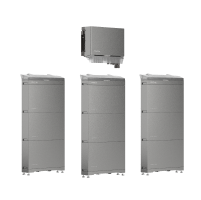
EcoFlow Ocean Pro
Pair Ocean Pro with EcoFlow PowerInsight 2 Monitor to track real-time energy flow
EcoFlow PowerInsight 2 Monitor is a visual hub for your smart home technology system that helps you track real-time energy flow, enabling you to make more accurate estimates. Here's a quick rundown of the key features of the EcoFlow PowerInsight 2 Monitor.
11-inch touchscreen: This monitor features a 1920×1200 high-res touchscreen, making it easier to track energy flow and enabling clarity and control.
All-in-one screen to rule everything: No more app hopping, as with Matter 1.4, it connects and controls lights, thermostats, and smart plugs in one place.
VIP service access: Press the VIP button on the screen to connect with your dedicated energy expert in 30 seconds or less. However, the feature is available to pro users only.
Voice assistance: Enjoy hands-free voice assistance with PowerInsight 2 Monitor from up to 5 meters away and get instant insights.
Excellent battery backup: With a 9,300 mAh battery, this smart all-in-one monitor runs for 24+ hours screen-off.
How Ocean Pro saves money using trued up billing
EcoFlow Ocean Pro saves maximum on average electric bills with solar panels and lowers unnecessary costs by combining smart energy monitoring with an efficient true-up billing approach. Here's the detailed workflow.

Estimated or base charges first
At the start of a billing cycle, base charges or projected energy usage are established. Ocean Pro learns your habits and predicts weather conditions to optimize your power. The baseline provides predictable monthly costs while the system gathers real usage data.
Real-time usage tracking
Ocean Pro continuously tracks energy generation, storage, and consumption. By monitoring real-time performance and tracking electricity prices, users can optimize usage patterns and reduce peak-time dependency, lowering overall costs.
End-of-period reconciliation
At the end of the cycle, a true-up adjustment compares estimated charges with actual usage. If energy consumption was lower or excess solar energy was generated, users may receive credits instead of paying inflated estimates.
Provides flexibility for energy changing needs
Energy usage varies by season and lifestyle. EcoFlow Ocean Pro adapts by recalibrating future projections based on real data, helping homeowners avoid long-term overestimation and ensuring billing remains fair and cost-efficient.
Best practices for true-up billing
Be transparent upfront
Always be clear about true up billing, how it works, and what its role is in accurate charges before the contract begins. The customer should understand all terms beforehand to avoid any fuss later on. Learn about initial charges and how you can set the baseline. Transparency reduces confusion and builds confidence.
Use clear, real-time data
When setting the baseline, it's mandatory to use clear, real-time data for a clear estimate. Be mindful that accurate billing depends on accurate data, so check initial numbers first, and then predict the estimate. The more precise the data, the fewer disputes or unexpected adjustments later.
Set a consistent true up schedule
The next step is to set a consistent true-up schedule to reduce friction. Whether monthly, quarterly, or annually, maintain a predictable reconciliation schedule. Consistency helps customers plan financially and prevents large, unexpected end-of-year adjustments.
Provide clear billing breakdowns
Your customer should understand all key components included in the true up bill. Also, your bill statement clearly mentions everything, such as estimated charges, actual usage, differences, credits, and final balances. A well-structured breakdown improves clarity and reduces misunderstandings.
Give customers insights and control
You must offer all insights and reports to customers to avoid any further miscommunication. Provide dashboards, usage reports, or alerts that help customers track consumption trends. When customers can monitor their usage, they can adjust behavior, reduce costs, and avoid major true-up surprises.
Conclusion
Unexpected adjustments at the end of your billing cycle can be frustrating. True up billing is mainly a difference adjustment between the estimate and real-time usage. So, if you want long-term relationship with your customer, try to make them aware of how true-ups are calculated and make adjustments as early as possible to maintain credibility and trust. True-up data is based on predictability; hence, you must analyze it accurately to know what to expect with your solar energy bills.
If you want to save money while enjoying the maximum power, opt for EcoFlow Ocean Pro and save your hard-earned money. It leverages smart monitoring of your usage habits and weather conditions, thus helping save maximum energy costs. No idea where to get started? Initiate a step forward and request a consultation with out experts to know more about true-ups and Ocean Pro installation.
What kind of product or solution are you interested in?

FAQs
What is an example of a true up?
An example of a true-up occurs when a company estimates $1,000 in monthly service usage but actual usage totals $1,200. At the end of the billing cycle, the additional $200 is charged as a true-up adjustment. In systems like EcoFlow Ocean Pro, real-time energy tracking helps calculate these differences accurately when the billing cycle ends.
What is a true up invoice?
A true-up invoice is a reconciliation statement issued after a billing period to adjust estimated charges to match actual usage. With EcoFlow Ocean Pro, this invoice reflects real energy generation and consumption data, clearly outlining credits or additional balances due.
Does the true-up statement apply to all billing models?
Not. These statements are common only in usage-based or energy systems like EcoFlow Ocean Pro, where consumption and generation vary. Fixed-rate billing models typically do not require such reconciliation adjustments.
Why do I have to pay true up?
True-up is mainly the reconciliation of the difference between estimate and real-time usage, and thus, you have to pay for what you've consumed. With EcoFlow Ocean Pro, true-ups ensure billing reflects real energy performance, maintaining fairness and transparency.
Does true-up affect tax and revenue reporting?
Yes, true-up adjustments can impact accounting records because they change final revenue or expense totals. Energy systems like EcoFlow Ocean Pro learn your energy usage habits and optimize your power requirements to minimize the difference between estimate and real-time usage, thus supporting your tax and revenue reporting.
